





A customer opens an agreement on their phone, ready to move forward. Then the small frustrations begin: text that needs constant zooming, details they have already supplied, and signature fields scattered across several pages.
What seemed like a quick task becomes something to finish later at a computer. For the business, that can mean another reminder, another support call, and an onboarding process waiting for the paperwork.
Customers can complete agreements from their phones. Making that experience easy takes attention to every step, from opening the request to receiving the completed document.
Reading and completing the document
An agreement designed for a printed page can be awkward on a small screen. Customers may need to zoom in to read a clause, zoom out to find a field, and scroll back to check what they are accepting.
Typing adds another layer of effort. Entering an address or company name repeatedly is frustrating when the business already has that information. Unclear field labels can also leave customers wondering what they should enter.
Before sending an agreement, review it on a phone. Check that fields do not cover the terms, instructions are clear, and each question serves a purpose.
Working out what needs attention
A customer might sign the final page but overlook initials or a required selection earlier in the document. Discovering the omission after submission creates another round of messages and corrections.
The experience becomes harder when customers cannot tell how much remains or whether they have successfully submitted their part.
Finding information outside the agreement
Some agreements require supporting documents or details the customer does not have readily available. An unexpected attachment request can interrupt the process, especially if the file is stored on another device.
Explain what customers will need before they start. If an upload is required, test that step on a phone with a representative file.
Electronic-signature workflows can now connect document preparation, guided completion, routing, and record delivery. That gives businesses more ways to address the work surrounding a signature. How agreement workflows reduce manual effort
Browser access makes it easier to get started
A browser-based signing experience lets customers open and complete an agreement on a compatible phone without installing special signing software. This removes a setup step when someone is ready to act. Mobile signing support
The invitation still needs to explain who sent the agreement, what it concerns, and whom to contact with questions.
Prefilled information reduces repeated typing
Known customer and transaction details can be supplied before the agreement reaches the signer. The customer can then review that information and complete the remaining fields.
This requires accurate source data and a clear way to report mistakes. Prefilling information should make review easier while leaving the customer responsible for deciding whether to accept the agreement. Prefill and agreement workflows
Guided fields make the next action clearer
Field-by-field guidance helps customers locate the places that require their attention. Required-field prompts can catch omissions before submission, while conditional fields can display questions relevant to an earlier answer.
Signature and initial reuse can also reduce repeated actions in documents with several signing locations. These features help with completion, but customers still need time and space to read the agreement. Guided signing capabilities
Consider a customer accepting a service agreement.
The invitation identifies the service and explains any access check. The agreement contains the customer details already supplied, ready for review. The customer reads the terms, completes the remaining selections, and applies their signature where required.
If another person must countersign, the workflow routes the agreement onward. The customer should understand that their part is complete and know how they will receive the final copy.
Businesses should plan that final handoff as carefully as the signing step. Clear ownership and record delivery help keep the wider onboarding process moving. Customer onboarding automation
Choose authentication appropriate to the agreement and test it on a phone. Check whether customers can retrieve an access code, return to the document, and continue without confusion.
An unexpected request should be easy to question through an established contact method. Recognizable branding provides context, but it does not establish authenticity by itself. Recognizing fake signing requests
Before rollout, ask someone unfamiliar with your process to complete a representative agreement using only their phone. Observe where they pause, need help, or switch devices. Include retrieval of the final copy in the test.
RSign is RPost’s electronic-signature and digital-form workflow platform. Recipients can sign through a browser on compatible Android and iOS phones without special signing software. RSign FAQs
Teams can use prefill, guided fields, required-field prompts, reusable signatures and initials, and configured signing sequences to support the customer journey. Availability depends on the feature and account configuration. Guided signing, Workflow capabilities
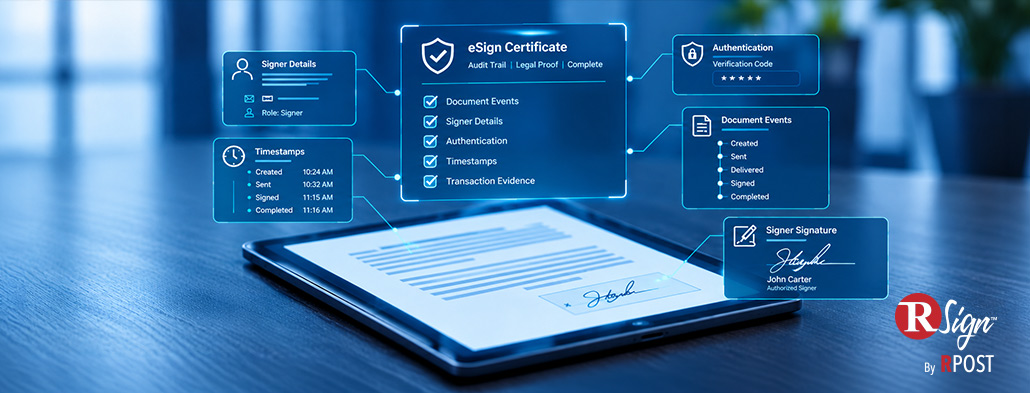
RSign also provides a Signature Certificate containing participant information and an associated audit record. Signature Certificate details
Start with an agreement your customers already use. Prepare it in RSign and test the journey from invitation to completed copy on a phone.
October 19, 2026
September 22, 2026

August 20, 2026

July 20, 2026

June 24, 2026




 Blog
Blog