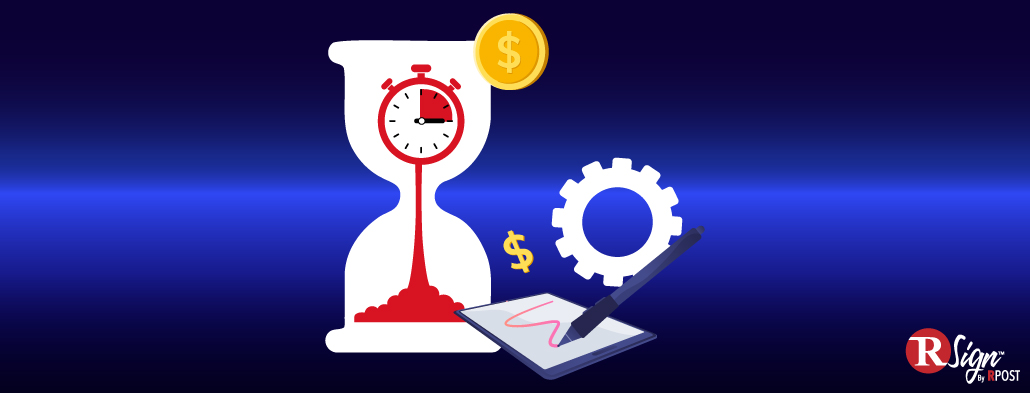
When companies calculate the cost of manual signing, they often start with the visible expenses: paper, printing, postage, scanning, and storage.
Those costs matter. But they do not capture the hidden operational cost of agreements that move too slowly, require too much follow-up, or depend on disconnected manual steps.
That hidden friction is signature drag.
Signature drag is the drag created around a signature when people have to chase approvals, fix incomplete documents, confirm the right version, locate final records, or prove later who signed what and when. It is not just an administrative inconvenience. In business-critical workflows, it can affect contract turnaround time, employee onboarding, procurement approvals, customer enrollment, leasing agreements, compliance reviews, and audit readiness.
That is where eSignature cost savings become more meaningful. Secure eSignatures do more than remove paper from the process. They help reduce the manual work around agreements, create clearer evidence, improve completion speed, and support more controlled digital agreement workflows.
The signature itself is rarely the only issue.
The hidden cost is the friction around it.
Companies can save money by reducing paper, printing, postage, scanning, and physical storage. Those savings are real, but they are also the most obvious part of the business case.
The bigger cost is usually the manual work around the signature: preparing documents, chasing signers, correcting errors, checking completion status, storing final PDFs, and answering the same question over and over: “Has this been signed yet?”
A direct example comes from the U.S. healthcare sector. In March 2026, the Centers for Medicare & Medicaid Services finalized a rule that phases out faxing and mailing for certain claims attachments, adopts electronic signature standards, and is projected to save USD 781.98 million annually. The takeaway is clear: eSignature cost savings come from replacing manual document handling with secure, standardized digital workflows.
Many companies think they have digitized a process because the document starts as a PDF.
But a PDF is not a digital workflow.
If someone still has to print it, sign it, scan it, email it, manually rename it, store it in a folder, update a CRM, and later reconstruct what happened, the process is only partially digital. The document may be electronic, but the work around it is still manual.
The European Commission’s eGovernment Benchmark 2025 found that, in 2024, 93% of Single Digital Gateway Regulation procedures could be fully completed online. That is a useful signal for enterprises: digital maturity is not just about making a form available online. It is about whether the whole process can be completed online.
Businesses should apply the same standard to agreements. A contract, onboarding packet, procurement approval, insurance form, or leasing agreement is not truly modern just because it is sent by email. It is modern when the workflow can move from preparation to signature to evidence to archive without unnecessary manual intervention.
Every department feels signature drag differently.
Sales feels it when a customer is ready to move forward, but the agreement is still waiting for completion. HR feels it when onboarding documents are delayed. Procurement feels it when vendor approvals stall. Legal feels it when teams use inconsistent templates or send the wrong version. Finance feels it when signed approvals are hard to find. IT and security teams feel it when employees use unmanaged workarounds to get something signed quickly.
Those workarounds may include pasted signature images, local PDF storage, manual email approvals, or disconnected tools across departments. They may feel efficient in the moment, but they create problems when a document needs to be audited, retrieved, validated, or defended later.
That is why eSignatures are also part of the trust layer of the business. In 2025, the UK government described trust services, including electronic signatures, as digital tools that make online transactions more secure and reliable by confirming the authenticity and integrity of electronic documents and transactions.
For CISOs and compliance leaders, the core questions are simple: Who signed? What did they sign? When did they sign? Was the document altered after signature? Where is the final record stored? Who can retrieve it?
If the answer depends on searching inboxes and shared drives, the company has a control gap.
RSign is RPost’s eSignature solution for organizations that need fast, secure, trackable signing workflows at scale.
RSign helps teams create standardized digital agreement workflows using reusable templates, document-specific signing rules, signer authentication options, automated routing, API integrations, and complete audit trails for every transaction.
For IT and security teams, this means more control over how documents are sent, signed, tracked, and stored. Teams can replace scattered signing habits with a governed process that creates consistent evidence and visibility across departments.
For business teams, RSign reduces the manual work around agreements. Teams can prepare documents faster, guide signers through required fields, track status in real time, and spend less time chasing signatures or correcting incomplete documents.
This is where RSign supports the larger cost savings story. It helps reduce the operational drag around every agreement: the waiting, follow-up, rework, uncertainty, and evidence gaps that make manual signing expensive.
The value of eSignatures becomes especially clear in distributed, document-heavy environments.
Jungheinrich, a global material handling and intralogistics provider, completed a global eSign RFP and deployed RSign across Europe, with expansion toward 40 countries for heavy equipment leasing contracts.
That example matters because heavy equipment leasing involves customer-facing agreements, distributed teams, operational urgency, and high-value assets. When signing workflows are standardized, the value is not just fewer printed pages. It is faster execution across regions.
A practical eSignature ROI model should look beyond the obvious expenses. To understand how much manual signing is costing the business, measure four areas:
Start with paper, printing, scanning, postage, courier services, physical storage, and archiving.
Measure the time employees spend preparing documents, sending them, chasing signers, correcting errors, filing completed agreements, and retrieving records later.
Track how long it takes to move from document creation to completed signature. Then identify which workflows are most sensitive to delay, such as sales contracts, HR onboarding, vendor approvals, leasing agreements, or finance approvals.
Look at how often documents are incomplete, how often the wrong version is used, how much audit preparation takes, and how many signed records are stored outside the official system.
That is where the cost savings become visible.
The weakest business case for eSignatures is “we will use less paper.”
It is true. It is just not ambitious enough.
The stronger case is that eSignatures reduce the cost of signature drag. They help teams complete agreements faster, reduce manual follow-up, improve document accuracy, strengthen audit trails, and make signed records easier to manage across systems and regions.
The signature itself was never the expensive part. The expensive part was everything waiting around it.
Ready to reduce signature drag?
See how easy it is to turn manual signing into secure, trackable digital workflows with RSign

September 22, 2026
August 20, 2026
July 20, 2026
June 24, 2026
June 09, 2026




 Blog
Blog