




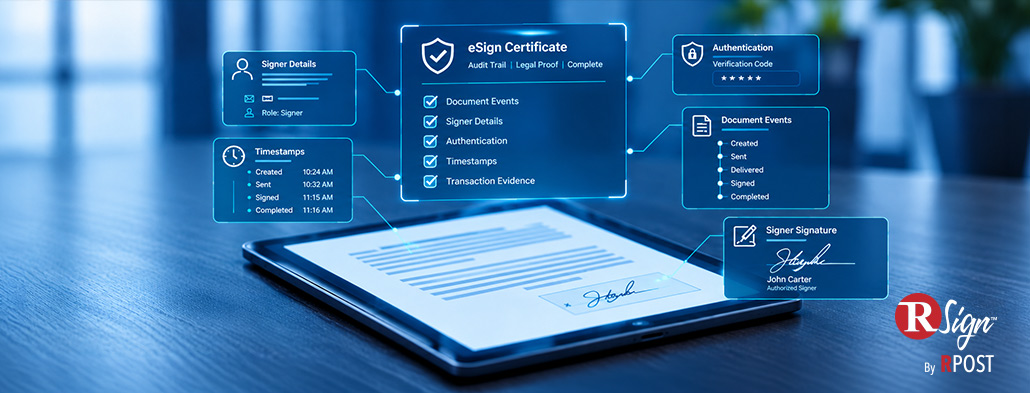
An eSignature certificate can become one of the most important records behind a signed agreement. If the transaction is later questioned, audited or reviewed, it provides the evidence needed to reconstruct how the signing process took place, from the participants and timestamps to the events recorded along the way.
This guide explains how to read an electronic signature audit trail certificate, which fields deserve attention and what each one can actually establish.
An electronic signature audit trail is the chronological record of events associated with an eSignature transaction.
A certificate presents that information in a format that can be reviewed after signing. Depending on the eSignature platform, it may contain the transaction identifier, participant information, roles, timestamps, signing events and other transaction metadata.
The terminology varies. You may see terms such as eSignature certificate, signature certificate, certificate of completion or audit report.
RSign®, for example, creates an eSign Certificate containing transaction information associated with the corresponding Envelope ID.
One important distinction: an eSignature audit certificate is different from a digital certificate used in public key infrastructure (PKI). They serve different technical purposes, even though both use the word “certificate.”
Rather than reading every field in isolation, use the certificate to answer five practical questions.
Start by confirming that the certificate belongs to the transaction you intend to review.
Look for a unique Envelope ID or transaction ID, together with the associated transaction information.
In RSign, each envelope receives a unique Envelope ID, which appears in the Envelope Data section of the Signature Certificate.
Once you have confirmed the transaction, check who participated.
Review:
The role is important. Someone included in the transaction is not necessarily a signer. Different participants may have different responsibilities within the workflow.
An email address also tells you where the request was directed, but it should not automatically be treated as proof of who controlled that inbox. Other transaction evidence can provide additional context.
The event history is one of the most useful parts of an electronic signature audit trail.
Instead of looking only at the final signature date, follow the transaction from beginning to end.
A typical sequence might include events such as:
Created → Sent → Delivered → Signed → Completed
Exact events vary depending on the platform and transaction settings.
RSign's Document Events section records the audit trail from document creation and sending through signing and completion.
When reviewing the sequence, ask:
Did the request reach the expected recipient?
When did each participant act?
Did the transaction move through the expected stages?
Were there unusual delays or changes in the sequence?
The timestamps attached to those events can help reconstruct the transaction much more clearly than a completion date alone.
Authentication information can add important context around how someone accessed a document before signing.
The options available depend on the eSignature platform and the settings selected for the transaction.
RSign, for example, supports Signer Verification, where the signer must enter a six-digit verification code before opening and signing the document.
When authentication or verification information is available, consider it together with the recipient and event records.
The useful connection is:
Recipient → verification → signing event
The appropriate level of verification may also depend on the transaction. A routine acknowledgement and a high-value agreement may require different levels of control.
Some audit records include information such as IP addresses or other transaction metadata.
This can provide additional context, but it should be interpreted carefully.
An IP address may associate activity with a particular internet connection or network at a specific time. It does not necessarily tell you a signer's exact physical location.
VPNs, proxies, corporate networks and mobile connections can all affect what an IP address represents.
The most useful approach is to consider technical data alongside the rest of the certificate:
No single data point should carry more meaning than the record supports.
Finally, review the signer information and compare it with the transaction history.
RSign's Signer Signatures section displays the signature, name and initials associated with each signer.
Check whether:
This is where the value of the full audit trail becomes clear.
The visible signature is one element of the record. The surrounding transaction evidence helps explain how that signature became associated with the agreement.
A practical way to read a certificate is to start with the question you need answered.
| Question | Evidence to Review |
| Which transaction is this? | Envelope ID or transaction ID |
| Who participated? | Recipient names, email addresses and roles |
| What happened? | Document event history |
| When did it happen? | Event timestamps |
| How was access verified? | Authentication or verification information |
| Who signed? | Signer name, signature and initials |
| Was the process completed? | Completion event or final status |
This approach can make the certificate easier to use during an audit, internal review or investigation.
It also helps avoid overinterpreting individual fields.
An email address identifies where a request was sent. An IP address provides network context. A signature shows the signing result. Together, those records can provide a much more useful picture of the transaction.
RSign organizes its eSign Certificate into four core areas:
Envelope Data
Transaction information and settings associated with the envelope.
Recipients / Roles
The recipients involved and their role in the transaction.
Document Events
The audit trail from creation and sending through signing and completion.
Signer Signatures
The signature, name and initials associated with each signer.
Together, these elements create RSign's Legal Proof® record, giving organizations a clear record of the signing transaction alongside the completed agreement.
That record can be especially valuable when an agreement needs to be reviewed later and the signing process itself needs to be verified.
Explore how RSign combines simple eSignature workflows with a clear transaction record.
October 19, 2026

September 22, 2026

August 20, 2026

July 20, 2026

June 24, 2026





 Blog
Blog