
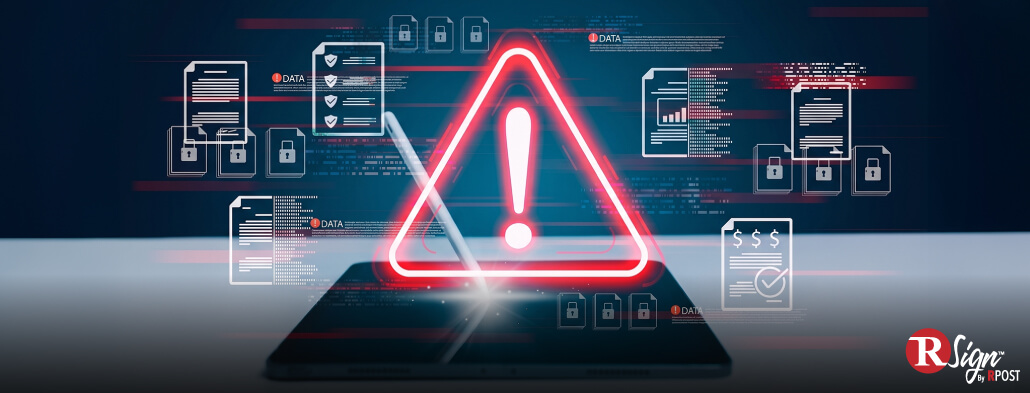
In 2025, the FBI’s Internet Crime Complaint Center received more than one million cybercrime complaints. Reported losses surpassed $20 billion.
The numbers point to a problem every business already depends on: trust in digital requests. Phishing was the most reported crime type, and Business Email Compromise caused more than $3 billion in reported losses. Both show how quickly fraud can move when employees rely on messages, links, and sender identities to decide what is safe to act on.
eSignature fraud happens when that same trust is abused inside a signing workflow.
The weak point is usually one of four things: the request, the sender, the signer, or the document itself. A fake signing email can send someone to the wrong page. A compromised account can make the request look trusted. An unauthorized signer can approve something they should not. A changed document can create a record the business did not intend to accept.
Most fake signing requests start before the signing screen.
An attacker may send a request from a lookalike domain, a compromised email account, or a fake notification designed to imitate a known signing platform. The message may reference a real vendor, project, invoice, employee file, or renewal so the recipient has enough context to continue.
The link is often where the risk becomes active. It may open a fake signing page, capture login credentials, present a manipulated document, or move the recipient into a workflow the company does not control.
The pattern is practical: the request looks familiar, the business context feels plausible, and the employee has a reason to act.
The business impact depends on the document.
A fake request involving a low-risk internal acknowledgment may create limited exposure. A fake request involving vendor banking details, contract terms, employment records, regulated forms, or executive approval can create a much larger problem.
For legal teams, the concern is evidence. For finance and procurement teams, it is unauthorized approval. For HR teams, it is sensitive information. For IT and security teams, it is identity and access. For compliance teams, it is reviewability.
Signing workflows depend on email, links, authentication, permissions, document storage, and audit records. Weak controls in any of those areas can turn the signing process into another path for fraud.
A fake signing request often looks close enough to normal that the warning signs sit in the details.
Employees should pause when a request:
If the document involves money, legal terms, employee data, regulated information, or vendor changes, employees should verify the request through a trusted channel before signing or approving.
Secure electronic signature software should protect the signing workflow, not just capture a signature.
For IT, security, legal, and compliance teams, the evaluation should focus on proof, control, and visibility. Important capabilities include signer authentication, multi-factor authentication for sensitive documents, secure signing links, role-based access controls, document access controls, reusable templates, controlled signing order, visibility into sent and completed documents, detailed audit trails, timestamps, tamper-evident completed documents, completion certificates, and identity verification options for higher-risk workflows.
The right level of security depends on the document. A routine internal form may not need the same controls as a high-value contract, regulated disclosure, executive approval, or vendor payment authorization.
The Digital Identity Guidelines from the National Institute of Standards and Technology provide useful context for identity proofing, authentication, and federation in digital services. For eSignature workflows, that means businesses should consider how signer identity is verified, how access is protected, and how the signing event is recorded.
A practical test is simple: if this document is challenged later, would the company have enough evidence to explain the event?
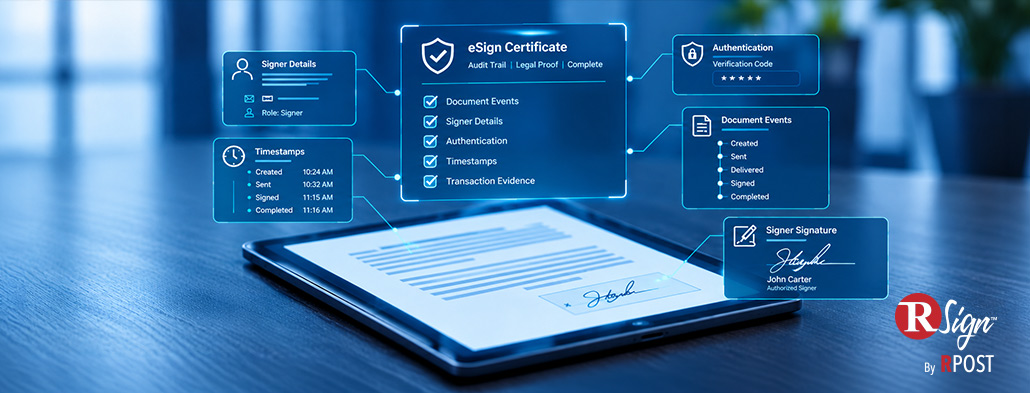
The audit trail is the record that helps reconstruct what happened.
A strong electronic signature audit trail can help show who received the request, what email address was used, when the document was opened, when it was signed, what actions were taken, and whether the completed document remained intact.
That evidence matters because many disputes are about context. Was the signer the right person? Did they have authority? Did they review the final version? Was the request part of an approved workflow? Was anything changed after completion?
Without that record, teams may be left with a signed PDF but limited ability to explain the signing event.
Reducing eSignature fraud starts with controlling the workflows that matter most.
Identify document types that carry higher risk: vendor onboarding, payment changes, contracts, contract amendments, HR records, regulated forms, executive approvals, and documents containing confidential information.
Then apply stronger controls. Limit who can send signature requests for sensitive documents. Use approved eSignature platforms instead of ad hoc PDF signing or personal email. Create templates for repeat processes so employees can recognize what a normal request looks like. Require stronger authentication when the document carries legal, financial, or compliance impact.
Train employees to inspect sender domains, document names, links, and workflow context before acting. Review audit trails for important agreements. Keep completed documents inside controlled systems.
RSign helps businesses manage electronic signature workflows with security, auditability, and control built into the signing process.
For teams handling contracts, HR forms, vendor agreements, approvals, regulated documents, and financial workflows, RSign supports secure document signing with features such as reusable templates, workflow routing, encryption, two-factor authentication options, real-time progress tracking, and Signature Certificate audit trail information.
Those capabilities help organizations standardize repeatable signing processes, apply stronger controls to sensitive documents, and preserve a clearer record of each signing event.
For IT and security teams, RSign provides better oversight of how documents are sent, signed, tracked, and completed. For legal, finance, HR, procurement, and compliance teams, it helps keep business workflows moving while preserving evidence if a document is questioned later.
Fake signing requests work because they borrow trust from everyday business processes. The sender looks familiar. The document name makes sense. The link appears routine. The request fits the pace of work.
Businesses can reduce that risk by treating eSignature workflows as controlled processes with clear authentication, access controls, audit trails, and tamper-evident records.
Ready to make your signing workflows more secure? Try RSign for free and see how easy it is to send, sign, track, and protect important documents.
October 19, 2026

September 22, 2026

August 20, 2026

July 20, 2026
June 24, 2026




 Blog
Blog