


App Overview:
RSign® for the Microsoft Power Platform enables organizations to seamlessly automate e-signature workflows across the entire Microsoft Power Platform ecosystem, without requiring custom code. Whether you need to initiate signature requests, track document progress, or archive signed agreements automatically, the certified RSign connector simplifies the process within a secure, enterprise-grade environment.
Specifically, RSign® for the Microsoft Power Platform allows you to:
RSign and eSignatures by RPost® have a proven track record serving businesses and government agencies across 100 countries worldwide.
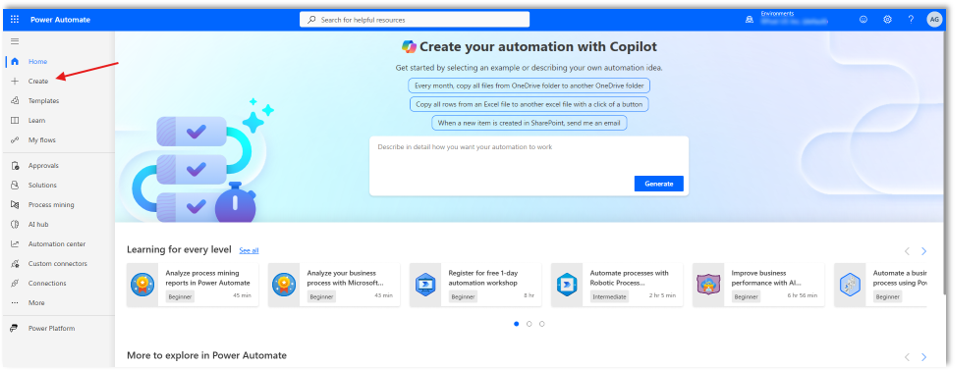
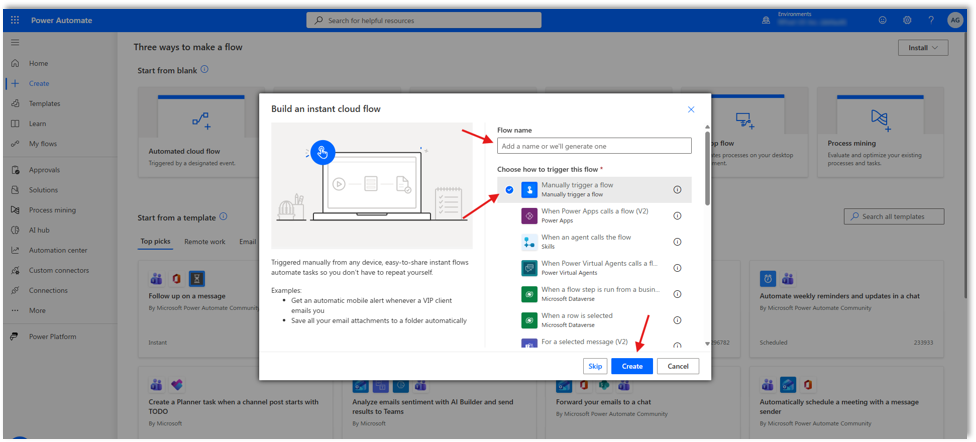
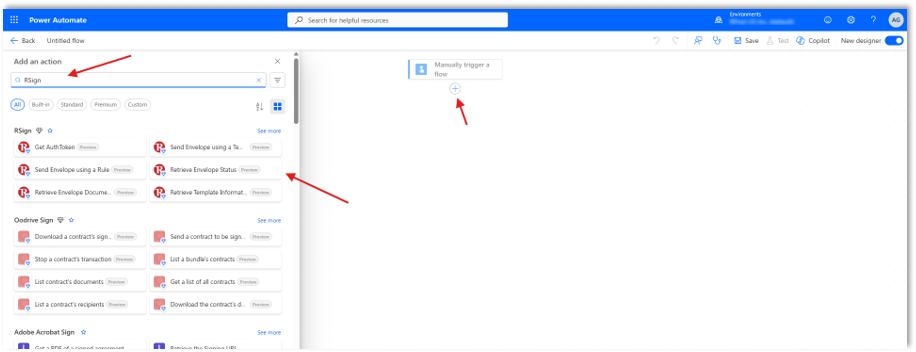
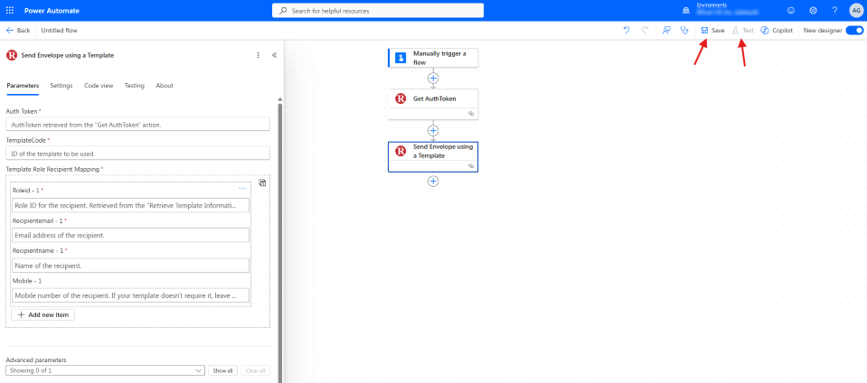
To automate eSignature workflows with RSign for Microsoft Power Automate:
With the certified RSign® connector for the Microsoft Power Platform, you can unlock professional e-signature automation that works seamlessly across 1,500+ certified apps. Automate how you prepare, send, and track legally binding documents directly within Power Automate, Power Apps, Logic Apps and Copilot Studio (no coding required).
Streamline compliance, boost organizational efficiency, and gain full visibility into your document cycles with RSign® for the Microsoft Power Platform. Transform your digital workflows today!


We’re helping National Storage Affiliates’ SecurCare Self Storage & iStorage modernize its tenant interactions to improve the tenant experience.
Read More
We’re helping Towne Storage ensure its tenants are informed when it comes to protecting their precious personal property.
Read More
We’re helping All Storage modernize its tenant communications, empowering them to optimize business operations and improve tenants connections.
Read MoreRSign for Microsoft Power Platform 1.0
RSign interface languages: Danish, Dutch, English, French, German, Italian, Latvian, Lithuanian, Polish, Portuguese, Spanish. Microsoft Power Platform interface language: all languages supported by Microsoft.
Danish, Dutch, English, French, German, Italian, Latvian, Lithuanian, Polish, Portuguese, Spanish.
| Operating System | Any |
| Browsers | Any |
| Browser Version | Latest |
| Deployment | company-wide deployment |
| Updates | Automatic upgrades |
| Requirements | Valid RSign and Microsoft Power Platform licenses |
| Licensing | Per user, shared group of users or usage-based |




 Apps
Apps